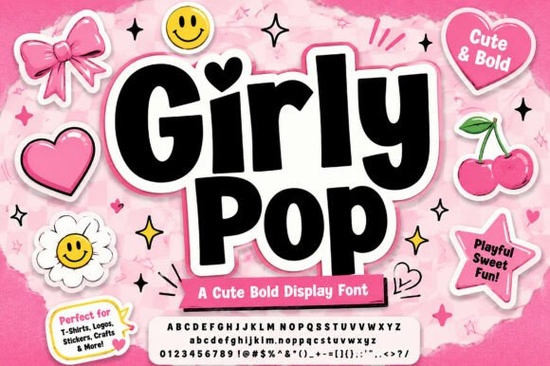
Why does the chunky design hold up so well across different mediums?
The construction of each character creates a tight, interlocking effect that stays cohesive without sacrificing readability. Soft corners keep the overall look approachable, while a crisp white inner outline prevents letters from blending into busy backgrounds. When placed on merchandise, the built-in pink outer shadow gives your text a raised, sticker-like appearance. You can explore similar aesthetic approaches in the Mila font display collection to compare how varying weights affect visual balance. For print-on-demand shops, reducing editing steps directly speeds up listing uploads. Pre-styled elements mean you skip layering multiple text boxes or adjusting shadows manually in your editor. Simply type your phrase, scale it to fit your canvas, and export. This workflow is especially helpful when testing seasonal phrases on apparel and home goods.Which creative projects actually benefit from this bold typeface?
Sticker creators and boutique owners will find immediate value here. The rounded shapes pair smoothly with pastel palettes and hand-drawn illustrations. If you run a stationery brand or sell custom packaging, this typography communicates a friendly brand personality instantly. Social media managers also use these letterforms for promotional banners that need to grab attention quickly. You might compare how Strawberry Milkshake font styles handle similar layouts to find your preferred aesthetic. Streetwear labels frequently use this visual style for graphic tees. Bold strokes print cleanly on cotton and keep legibility intact after repeated washes. When working with direct-to-garment printers, solid color fills and clear edges reduce banding and maintain consistent quality across production runs.How should you pair it with supporting text without cluttering layouts?
Since the main letters occupy significant space, keep secondary details light. A neutral sans serif works best for product descriptions and sizing charts. Avoid combining it with decorative scripts, as competing styles will make the design feel messy. If you need a structured alternative for athletic themes, reviewing Prime Varsity display options shows how to separate decorative headers from functional copy. White space is just as important as the letterforms. Leave margins around your headline so the outer shadow breathes properly. Crowding it against other elements flattens the effect and reduces readability on mobile screens. Always preview artwork at actual size before printing on small items like enamel pins.What licensing details should you verify before going commercial?
Most creators offer commercial licenses covering physical goods, but reading the exact terms prevents legal issues later. Check for print run limits or attribution requirements. Convert your text to outlines or embed the font before sending files to a print vendor. Reviewing vintage varsity typography listings can clarify how sellers typically package commercial rights. Test the typography in your design file to see how tracking handles your specific wording. Previewing Girly Pop directly on your canvas ensures the spacing matches your layout goals. Save a backup text layer so you can adjust copy later without rebuilding the artwork.Before publishing your design, complete this final check:
- Check readability: View on mobile and desktop to confirm spacing feels natural at smaller scales.
- Test contrast: Verify the inner stroke pops clearly against your chosen background color.
- Convert to paths: Outline letters to prevent vendor substitution errors during printing.
- Review terms: Confirm commercial rights cover your intended products and expected sales volume.
- Set correct resolution: Export print files at 300 DPI and web previews at 72 DPI to optimize load times.
 Rabbit Hole Font: Creative Inspiration & Typography Ideas
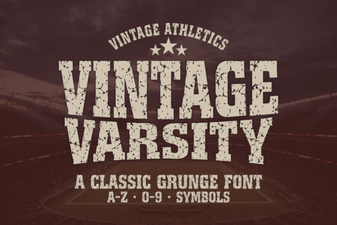 Retro Typography for Modern Design Projects
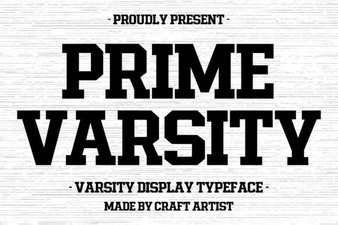 Prime Varsity Font: Clean Design for Creative Projects
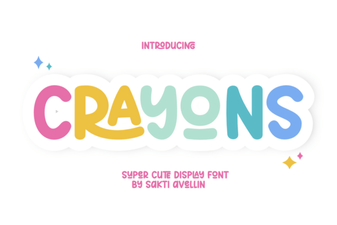 A Creative Font to Color Your Designs
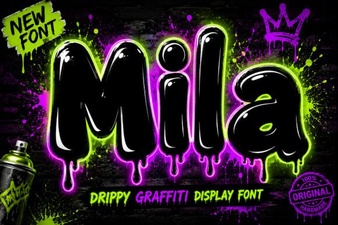 Mila Font: a Modern Approach to Clean Design
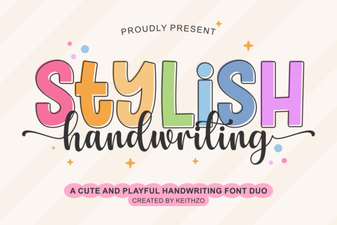 Creative Fonts for Your Beautiful Handwriting Designs